
Stove Lake to Crossroads
Hike Details
| Trailhead: | Stove Lake Trailhead |
| Hike Length: | 5.2 km |
| Route Type: | Out & Back |
| Difficulty: | Rated 78: Moderate 78 / 223 |
| ⓘ Ratings Explained |
Description#
While this hike isn’t listed among the “Starter Hikes” on the site, it is the next best thing. Rather than roads, there is a trail to follow, but the trail is always clear and easy to navigate. It’s a nice little jaunt to an intersection of trails in what will feel like the middle of nowhere.
View route colour key
Stove Lake Trailhead ➜ Ministik Crossroads
Distance: 2.6 km
Description
- Make your way past the gate and follow the short first leg due north.
- The trail turns sharply to the left (east) and continues to the "Open Gate" waypoint where you cross to the other side of the fence line you've been following.
- Make sure you bear right at "Trail Fork".
- At "Old Gate", walk through the fence opening onto the single-track trail.
- Following the trail to the"'Crossroads' intersection" should be quite straightforward.
- If a game trail intersects with the trail you're on, and you're ever in doubt, bear right. That will always be the correct choice.
- Take a break when you reach the "'Crossroads' intersection".
- Now all there is to do is return to the parking spot at "Stove Lake Trailhead", using the waypoints provided if you need them.
- Congratulations on completing the hike!
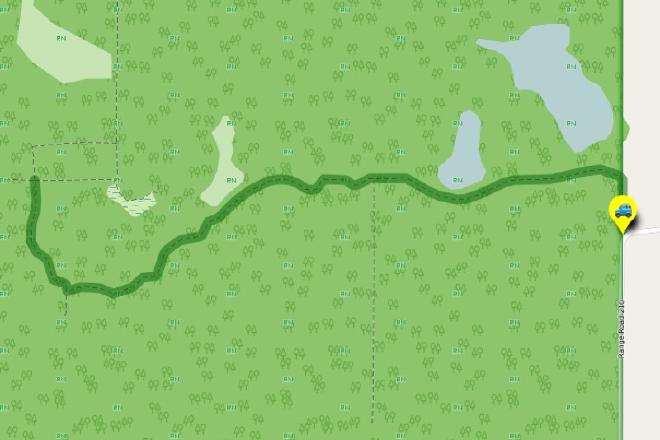
Interactive Route Map#
To see all route waypoints, zoom into the map by pinching open on mobile, scrolling on desktop.
View route colour key
Download Hike Route and Description#
Hike Route and Waypoints File#
The “.gpx” file contains both the hike route and important waypoints referred to in the hike description. See the suggestions for mobile apps and open the “.gpx” file in one of those apps on your mobile device.
Mobile (Offline) Hike Route Description in PDF Format#
Cell service can go from spotty to non-existent in the Ministik. The leg-by-leg route directions you see on this page are duplicated in a PDF document (".pdf") you can download here to read on your mobile device while offline.